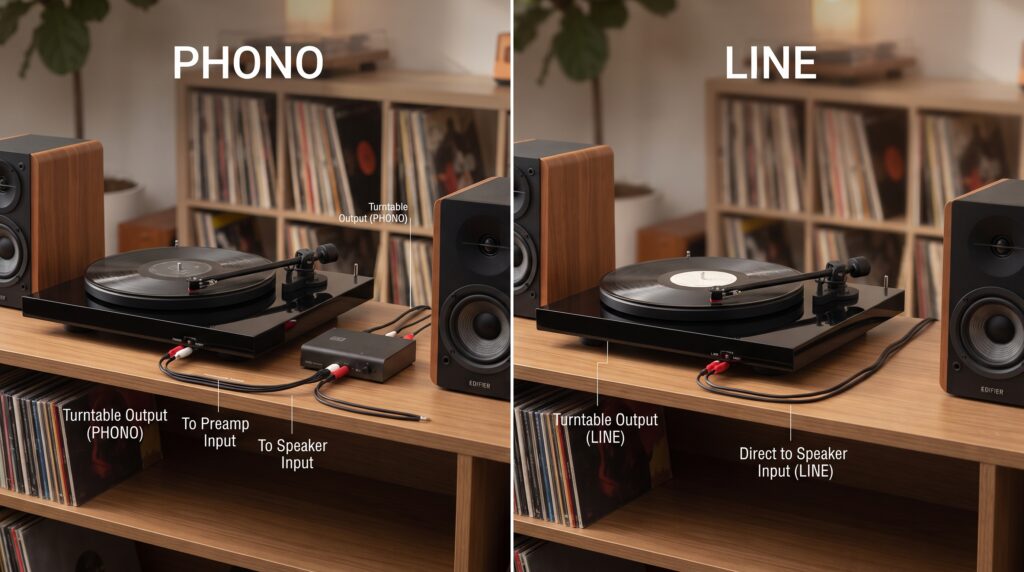
Phono or line is a common question when connecting a turntable, amplifier, receiver, powered speakers, mixer, or other audio equipment. Choosing the wrong input can result in very quiet sound, excessive volume, distortion, or poor audio quality.
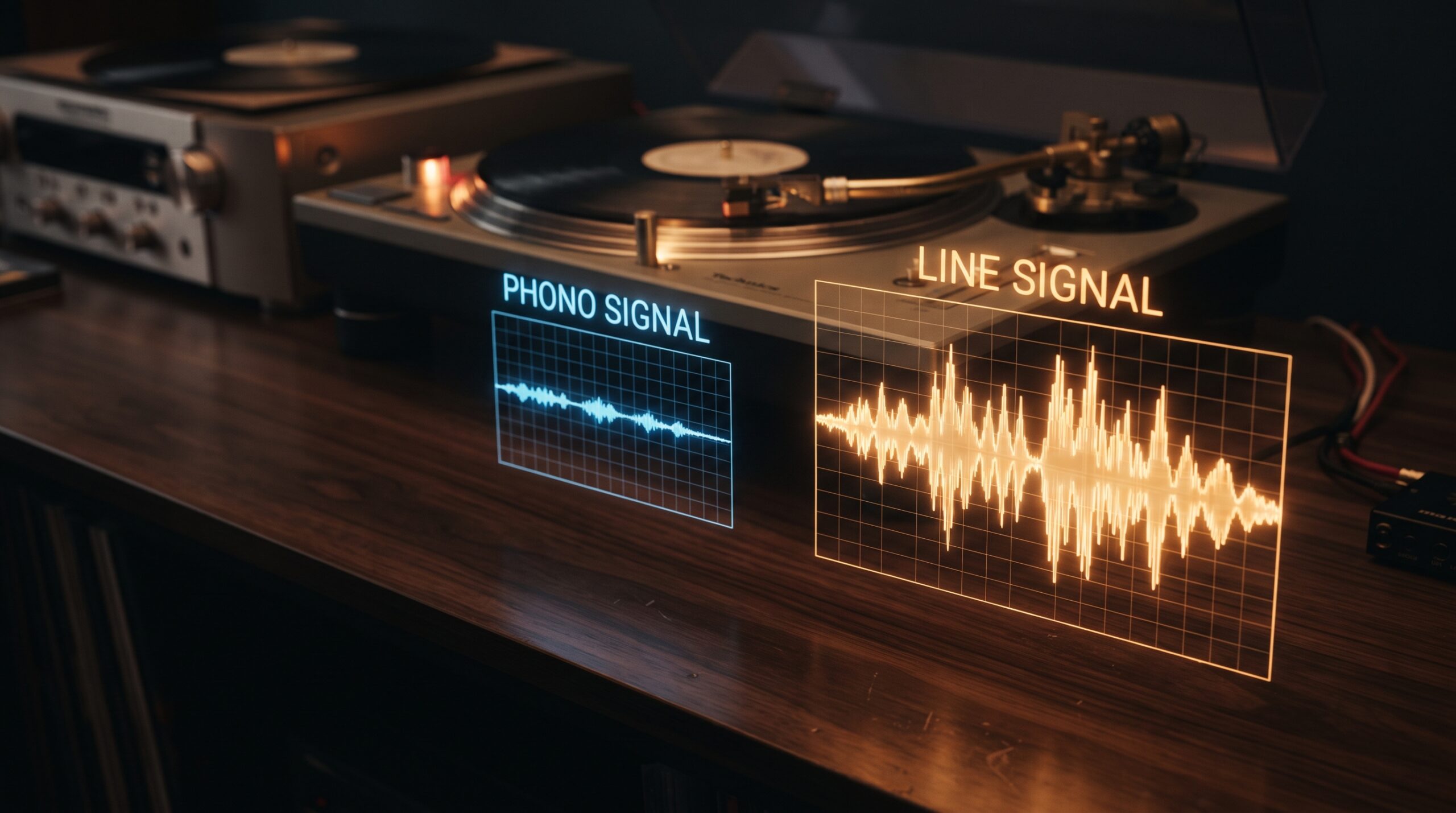
The main difference is simple. A phono signal is a low level signal produced by a turntable cartridge. It normally needs a phono preamp to increase its level and apply the required equalization before it can be connected to a standard line input.
A line signal is already at a higher, standardized audio level and is designed to connect directly to equipment with a line input.
Understanding phono vs line can help you connect your audio equipment correctly and avoid common setup mistakes.
Quick Answer
Choose Phono when connecting a turntable with a phono level output to an amplifier, receiver, or mixer that specifically has a phono input.
Choose Line when connecting equipment that already provides a line level output, such as a CD player, phone, computer, or a turntable with a built in phono preamp.
The key difference is that phono is a low level, equalization dependent signal, while line is a higher level signal that has already been prepared for standard audio inputs.

What Is a Phono Input?
A phono input is designed to receive the low level signal produced by a turntable cartridge.
A record groove contains a very small electrical signal when the cartridge reads it. This signal needs additional processing before it can be used like a normal line level audio signal.
A phono stage, also called a phono preamp, performs two important functions:
- Increases the signal level
- Applies the required RIAA equalization
Without appropriate phono amplification and equalization, a turntable connected directly to a normal line input may sound extremely quiet and tonally incorrect.
What Is a Line Input?
A line input is designed to receive a stronger audio signal that has already been amplified to an appropriate level.
Common line level sources include:
- CD players
- Streaming devices
- Computers
- Phones
- Audio interfaces
- DVD players
- Tuners
- Some turntables with built in preamps
Line inputs are commonly labeled:
- Line In
- AUX
- CD
- Tape
- Audio In
Although the exact electrical specifications can differ between consumer and professional equipment, these inputs generally expect a much stronger signal than a raw phono cartridge produces.
Phono vs Line: Key Differences
| Feature | Phono | Line |
|---|---|---|
| Signal level | Very low | Higher |
| Typical source | Turntable cartridge | CD player, phone, computer |
| Requires preamp | Usually | No |
| RIAA equalization | Required | Already applied |
| Typical input | Phono | Line, AUX, CD |
| Direct turntable connection | Yes, with compatible phono input | Only if turntable has built in preamp |
| Signal processing | Phono amplification and equalization needed | Standard line level signal |
| Common problem | Very quiet sound when connected incorrectly | Distortion if fed an excessively strong signal |
| Best use | Raw turntable output | Standard audio sources |
How a Phono Signal Works
When a turntable cartridge reads a vinyl record, it produces a relatively weak electrical signal.
The recorded audio also uses frequency equalization during the recording process. The playback system needs to apply the corresponding inverse equalization.
This is where a phono preamp becomes important.
A phono stage boosts the cartridge output and applies RIAA playback equalization so that the resulting signal can be used by the rest of an audio system.
How a Line Signal Works
A line level signal has already been brought to a suitable level for connecting audio equipment.
For example, a CD player can output a line level signal directly to an amplifier’s line input.
Similarly, a turntable with a built in phono preamp can provide a line level output.
This is why some modern turntables include a switch labeled something like Phono/Line.
Phono or Line on a Turntable
Some turntables have a built in phono preamp.
These models may provide two output modes:
Phono: The turntable sends the raw phono signal to an external phono preamp or phono input.
Line: The built in phono preamp processes the signal, allowing the turntable to connect to a normal line input.
If your turntable has a Phono/Line switch, check the equipment connected to it before choosing the setting.
Example
If you connect a turntable to an amplifier’s PHONO input, the turntable should generally output phono level.
If you connect a turntable to an AUX or LINE input, the turntable should generally output line level if it has a built in phono preamp.
Can You Connect Phono to Line?
Yes, but a raw phono signal should not normally be connected directly to a standard line input.
You need a phono preamp between the turntable and the line input.
The connection would be:
Turntable → Phono Preamp → Line Input
Some turntables already contain a phono preamp, so an external preamp may not be necessary.
Can You Connect Line to Phono?
It is generally not recommended.
A line level source is already much stronger than the signal expected by a phono input. Connecting a line output to a phono input can result in excessive volume and severe distortion.
A phono input is designed for the characteristics of a phono cartridge, not for a normal line level source.
Sound Quality Comparison
When properly connected, both phono and line setups can produce excellent sound.
The important factor is using the correct signal path.
Phono Setup
A typical phono setup may look like:
Turntable → Phono Stage → Amplifier → Speakers
The quality of the cartridge, turntable, phono stage, amplifier, and speakers can all affect the final sound.
Line Setup
A line setup may look like:
Audio Source → Line Input → Amplifier → Speakers
Because the source already provides an appropriate line level signal, a separate phono stage is not required.
Common Phono and Line Labels
Understanding labels can make audio setup much easier.
Phono
Usually means the input is designed specifically for a turntable’s phono level signal.
Line
Means the input expects a standard line level signal.
AUX
AUX generally functions as a line level input for compatible sources.
CD
On many amplifiers and receivers, a CD input is also a line level input.
Tape
Tape inputs and outputs are generally intended for line level signals.
Common Mistakes When Choosing Phono or Line
Connecting a Phono Output to AUX
A raw phono output connected directly to AUX may produce extremely quiet sound.
The solution is to use a phono preamp or switch the turntable to line output if it has a built in preamp.
Connecting Line Output to Phono
This can overload the phono input and produce significant distortion.
Use a line or AUX input instead.
Forgetting the Turntable Switch
Some turntables have a Phono/Line switch. Using the wrong position can create very low volume or distorted sound.
Using Two Phono Preamps
If your turntable already has a built in phono preamp and you connect its line output to an external phono input, you may effectively be running the signal through two phono stages.
Use line output with a line input, or phono output with a phono input.
Ignoring the Ground Connection
Some turntables require a ground connection when using a traditional phono setup. A missing or poor ground connection can contribute to unwanted hum.
Phono or Line: Which Should You Use?
The correct choice depends on your equipment.
Use Phono When:
- Your turntable has a phono output.
- Your amplifier has a dedicated phono input.
- You are using an external phono preamp.
- You want to use a separate phono stage.
Use Line When:
- Your turntable has a built in phono preamp.
- Your turntable is set to Line mode.
- Your amplifier has AUX or Line input.
- Your source already provides a line level signal.

Pros and Cons
Phono
Pros
- Designed specifically for turntables
- Provides appropriate phono amplification
- Applies required playback equalization
- Can work with high quality external phono stages
- Useful for traditional vinyl setups
Cons
- Requires compatible equipment
- Raw phono signals are very low level
- Incorrect connections can cause very low volume
- Grounding may be required
- External phono equipment adds complexity
Line
Pros
- Simple to connect
- Works with many modern audio sources
- No separate phono preamp required for line level sources
- Easy to use with AUX and standard audio inputs
- Suitable for turntables with built in preamps
Cons
- Cannot normally accept a raw phono signal
- Incorrectly connecting line output to phono can cause distortion
- Does not replace a phono stage for a raw turntable output
FAQs
Is phono or line better?
Neither is universally better. Phono is the correct choice for a raw turntable signal, while line is appropriate for a processed line level signal.
What is the difference between phono and line?
Phono is a much lower level signal that requires specific amplification and RIAA equalization. Line is a stronger standardized audio signal intended for normal audio inputs.
Should my turntable be set to phono or line?
If you are connecting the turntable to a dedicated phono input, use the phono output setting. If you are connecting it to AUX or Line, use Line mode when the turntable has a built in phono preamp.
Can I plug a turntable into AUX?
Yes, if the turntable has a built in phono preamp and is providing line level output. A raw phono output should normally go through a phono preamp first.
Why does my turntable sound very quiet?
If a turntable is connected to a line input without a suitable phono preamp, the signal may be far too weak. Check whether the turntable has a built in preamp and whether its switch is set to the correct output mode.
Why does my turntable sound distorted?
A possible cause is connecting a line level output to a phono input. Check the turntable’s output setting and make sure the receiving input matches it.
Do all turntables have a built in phono preamp?
No. Some turntables have built in phono preamps, while others require an external phono stage or an amplifier with a dedicated phono input.
Can I use a phono preamp with a turntable that already has one?
It is possible, but you generally should not stack two phono preamps unnecessarily. If the turntable is already outputting line level, connect it to a line input.
Conclusion
Understanding phono or line becomes much easier once you know the difference between the two signal types.
A phono signal comes directly from a turntable cartridge and requires appropriate amplification and RIAA equalization. A line signal has already been processed to a higher level and can normally connect to an AUX, Line, CD, or similar input.
For a simple setup, check whether your turntable has a built in phono preamp. If it does, you can usually select Line and connect it to a standard line input. If it does not, use a dedicated Phono input or an external phono preamp.
The most important rule is simple: match the output of your source to the correct input on your audio equipment. Doing this will help you avoid low volume, distortion, and unnecessary equipment problems.